
Video content dominates the internet, and with the rise of AI tools like Descript and Runway, editing no longer requires expensive software or years of experience. In 2025, anyone with creativity and consistency can turn AI-assisted video editing into a profitable side hustle, or even a full-time business. This guide walks you through how to use these tools, package your services, and find clients who’ll pay for your work.
Why AI Video Editing Is Exploding in 2025
Short-form video continues to rule platforms like YouTube Shorts, TikTok, and Instagram Reels. Brands, creators, and businesses need constant content. However, few have time to edit. That’s where AI video editors come in. Tools like Descript and Runway let you edit by typing, generate B-roll automatically, remove filler words, and even clone voices or change backgrounds with a single click.
For freelancers and creators, this means faster turnaround times, higher quality output, and less technical friction. The demand for fast, affordable video editing is massive—and AI gives you the edge to deliver it efficiently.
Understanding the Tools: Descript vs. Runway
Descript
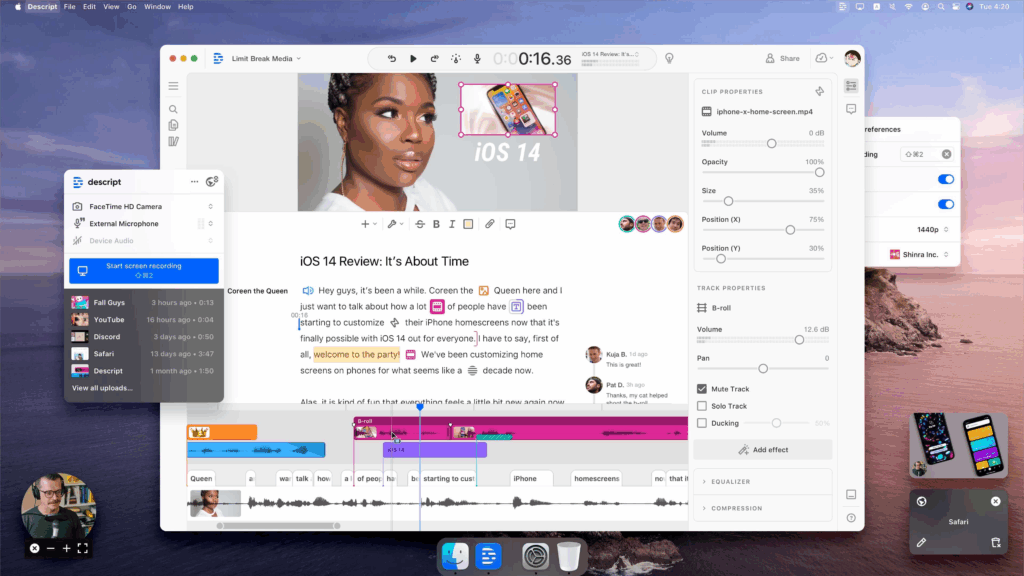
Descript is a text-based video editor that turns audio and video into editable transcripts. You can cut clips, remove filler words, and rearrange segments simply by editing text. It’s ideal for podcasts, talking-head videos, tutorials, and social media clips. Descript’s standout feature, Overdub, even lets you generate or replace voice lines using AI voice cloning.
Runway
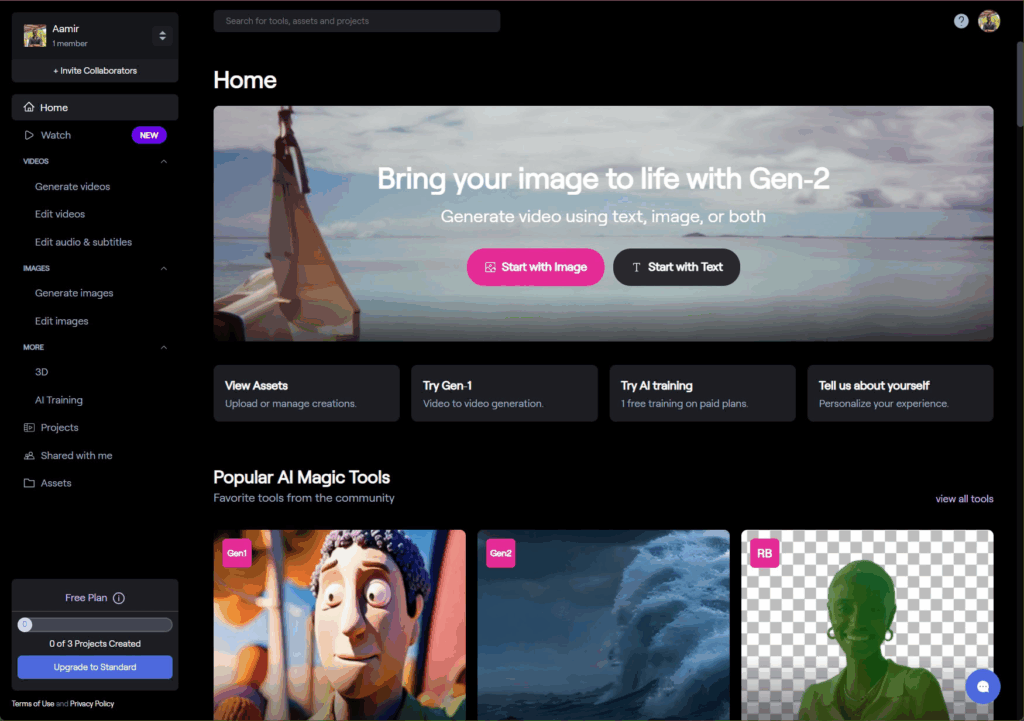
Runway is built for visual creativity. It uses AI to handle advanced effects—object removal, motion tracking, background replacement, and automatic editing. Runway excels at repurposing long videos into short clips, color grading automatically, and generating visuals for transitions or intros. It’s perfect for social media marketers, YouTubers, and agencies creating branded content.
Combine Descript and Runway, and you have a full AI-powered editing pipeline—script, voice, visuals, and effects—all without needing Adobe Premiere or Final Cut Pro.
Services You Can Offer Using AI Video Tools
Once you understand both tools, you can start offering services to clients who need consistent, engaging video content. Popular service ideas include:
- Social Media Video Editing: Turn raw footage into short, polished clips for TikTok, YouTube Shorts, or Instagram Reels.
- Podcast to Video Conversion: Use Descript to turn podcast episodes into engaging video clips with captions and animations.
- Course or Webinar Editing: Help coaches or educators clean up their long-form videos into structured lessons.
- Corporate Video Repurposing: Edit Zoom meetings, product demos, or training sessions into digestible social content.
- AI-Powered Reels Packages: Combine Runway’s auto-editing with templates for fast, repeatable delivery.
Because you’re leveraging automation, you can offer competitive pricing while still making strong margins.
Creating a Repeatable Workflow
Here’s an efficient AI workflow that keeps your projects consistent and fast:
- Step 1: Import your client’s raw footage into Descript. Let it automatically transcribe and detect filler words.
- Step 2: Trim and rearrange segments by editing the transcript. Remove “uhs,” “ums,” and awkward pauses instantly.
- Step 3: Export the clean edit to Runway for enhancement. Use AI effects like automatic subtitles, motion blur, and smart background changes.
- Step 4: Add branded elements—logos, titles, and color schemes—to give it a professional look.
- Step 5: Export final versions in vertical and horizontal formats for social media and YouTube.
This workflow allows you to complete full video edits in under an hour, compared to several hours with traditional tools.
Packaging and Pricing Your Services
When you’re just starting, keep your offers simple and clear. Focus on outcomes, not technical jargon. Here are some example packages:
- Starter Video Edit ($75): One short video (under 60 seconds) edited, captioned, and branded for social media.
- Pro Video Bundle ($200): Three edited clips optimized for TikTok, Reels, or YouTube Shorts.
- Content Creator Monthly Plan ($500+): Up to 10 short-form edits per month, consistent branding, and priority delivery.
As your skills and workflow improve, raise your rates. Clients will pay for speed, consistency, and results—especially when you can show metrics like engagement or follower growth.
Where to Find Clients
You can start finding clients today without paid ads. Focus on these proven platforms:
- Upwork: Search for “video editor,” “social media editor,” or “YouTube short-form editor.”
- Fiverr Pro: Create listings showcasing before-and-after videos.
- LinkedIn: Connect with marketers, coaches, and small business owners posting unedited content.
- Twitter/X: Engage with creators who mention “looking for an editor” in their posts.
When reaching out, lead with results. For example: “I can turn your 30-minute podcast into 5 viral-ready Reels using AI tools that speed up delivery by 70%.” Specific, benefit-focused pitches work best.
Scaling Your AI Video Business
Once you’ve built a steady client base, you can expand your services without adding manual labor. Create branded templates, automate parts of your workflow with Zapier, and offer add-ons like thumbnail design or caption optimization.
You can also move beyond freelancing into a micro-agency model—hiring assistants to manage uploads, revisions, or client communication while you focus on creative direction and scaling revenue.
Recommended AI Tool Stack
- Descript: For transcription-based editing, podcast videos, and voice cleanup.
- Runway: For visual AI effects, background removal, and automated cuts.
- Canva or CapCut: For final branding, titles, and social media formatting.
- Zapier or Notion: For tracking clients, tasks, and automations.
- Google Drive or Frame.io: For client deliveries and feedback.
Final Thoughts
AI video editing isn’t just a trend. It’s a new way to create content faster and smarter. Tools like Descript and Runway lower the barrier for anyone to enter the market, whether you’re a freelancer, content creator, or small business owner.
By combining creativity with the efficiency of AI, you can turn video editing into a reliable income stream. Start small, refine your workflow, and let automation handle the technical work while you focus on what matters most—delivering stories that engage and convert.


